
A platform that knows your work
Two of our four co-founders work in school photography and use SmileyApp every season. Picture days, deadlines and retakes shape what we build.
Meet the teamFor photographers already selling online
Already selling your photos with GotPhoto, Captura, Proofpix or another platform? SmileyApp is built in Canada by photographers who know what picture day is really like. Start with a single project, at your own pace.
No credit card. No time limit.
There’s no need to move your whole business on day one. Start with one session, one school or one sports team, and take the time to get comfortable with the platform.
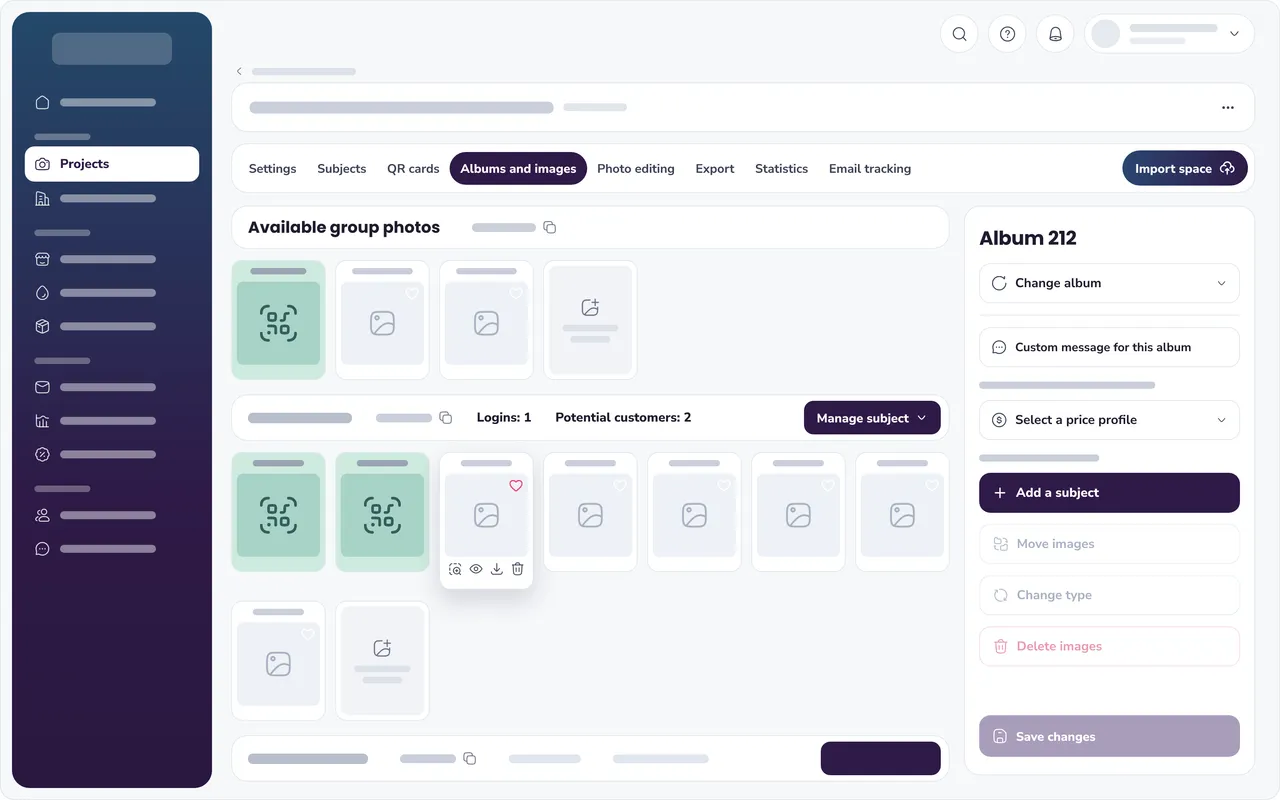
Two of our four co-founders work in school photography and use SmileyApp every season. Picture days, deadlines and retakes shape what we build.
Meet the teamSmileyApp takes care of the tasks that eat up your time in peak season. You spend fewer evenings sorting photos and re-entering orders.
Switching platforms raises questions, especially before a busy season. Someone on our team answers by live chat and can train you one-on-one, for free.
Talk to our teamSmileyApp is built in Quebec. Your data and your families’ data are hosted in Montreal, with backups in Toronto, on Google Cloud.
See how we handle securitySmileyApp sends your orders to Pico, Technicare, Spectra-Visuel and Photolab Yves Thomas, with their full catalogues. If your lab isn’t on the list, get in touch and we’ll discuss it.
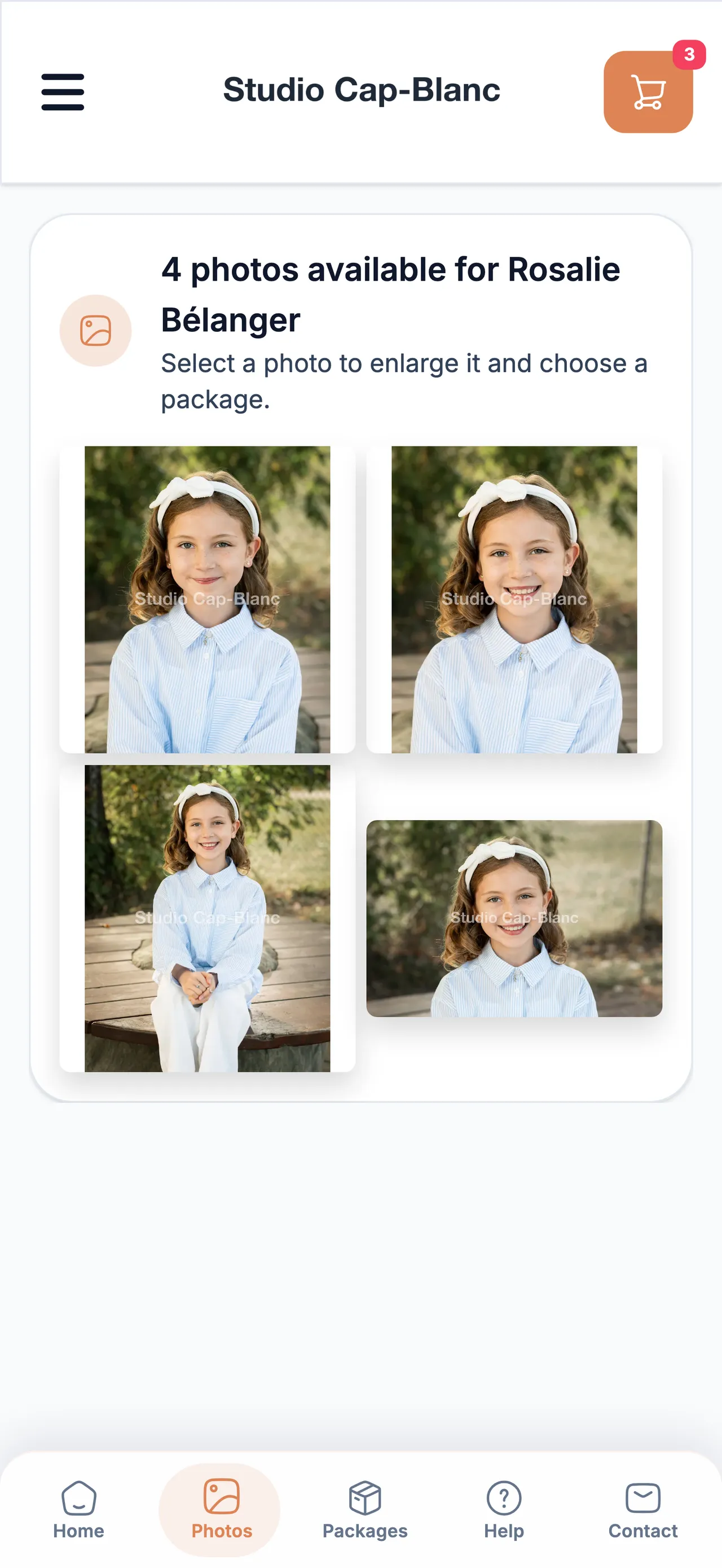
See partner labsParents order from their phone with their access code, in a store branded with your colours. Navigation is simple, from the photo gallery to checkout.
Four steps lead to your first project. Setup time depends on your catalogue and the size of the project.
Sign-up is free, with no credit card.
Create your products, packages and price profiles, then choose your lab.
Import your list, then your photos: each one is matched to the right subject.
Open the store to parents and track orders in SmileyApp.
The help centre walks through every step, and someone on our team can train you for free. Visit the help centre
SmileyApp launched in April 2026 and is already used at scale. Photographers from coast to coast run their projects and sales on it.
160,000+
subjects created by photographers
58,000+
orders placed by families
990+
schools, daycares and sports leagues
Since launch, figures updated October 21, 2026. The schools and organizations are the photographers’ clients, not SmileyApp’s.
Someone from the team will answer, in English or French.
Contact the teamCompare SmileyApp with other platformsNo. You can start with a single project and bring the rest of your work over at your own pace.
Yes. The Spark plan is free, with no credit card and no time limit. A 11% usage fee then applies to your sales before tax, plus card payment fees.
Yes. SmileyApp is built for volume photographers working with schools, sports leagues and daycares. The steps are the same everywhere: project, list, photos, store and orders.
You recreate your products, packages and price profiles in SmileyApp. There’s no automatic import from another platform, but our team can guide you through the setup.
SmileyApp is integrated with Pico, Technicare, Spectra-Visuel and Photolab Yves Thomas. If your lab isn’t one of them, get in touch and we’ll tell you what your options are.
Yes. Someone on our team answers your questions by live chat, in English or French, and can train you one-on-one on the platform, for free.
Yes. You can run some projects on SmileyApp and keep your current platform for the others.
It depends on your catalogue, your prices and the size of the project. The help centre walks through every step, and our team can guide you through the setup.
Our comparison pages go through the differences with GotPhoto, PhotoDay and Captura, point by point.
You don’t have to change everything today. Try SmileyApp with a first project and see if it fits the way you work.
No credit card. No time limit.
Cette page existe aussi en français. Lire en français